

How to Increase Website Traffic With Your LinkedIn Sig

If you’re networking on LinkedIn often, then this signature move outlined below can bring more qualified traffic to your site – leading to new subscribers, clients, and product sales.
If you’ve noticed, LinkedIn has no signature feature – that is, they do not automatically put your signature when you make comments.
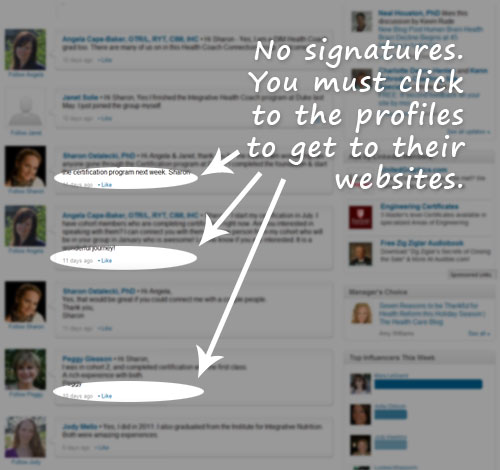
As a result, in order for people to discover your coaching website, they need to click into your profile first and then find your website link.
Hoping for traffic from curious passersbys doesn’t work well.
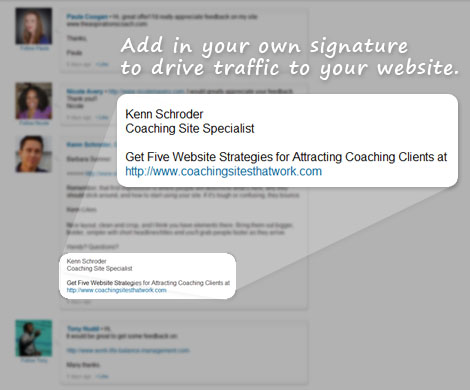
A better approach is to append your own sig directly to your comments.
Simply, put your own signature line after your comments or discussions.
Doing so puts your message right in front of those who are reading your comments. It reminds them briefly what you’re about and how to get to your website.
Here’s how mine looks:
Important notes
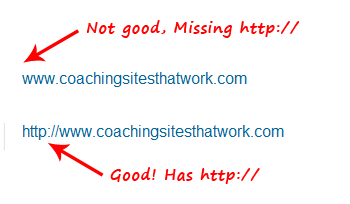
1. Your link. Be sure to include “http://” before your link or else it won’t be clickable.
2. Give a reason to click to your site. You may have a blog, articles, free audio or video, special report, assessment, or top-10 list.
Use an enticer to drive traffic. As you can see in my signature, I invite people to get my free report.
If you don’t have a site or handy article, then …
… simply put a juicy summary of what you do.
It could be as simple as “Learn how I help you free up 10 hours a week while getting more done” or “Helping busy professionals eat well, lose weight, and feel great!”
Be sure to highlight the benefits you bring!
One thing that sucks is that you have to type it in each time.
If you’re posting often, then writing your signature in each time could be a bit of a pain in the butt.
What you can do is write out your signature and save it as a text file on your desktop and then copy and paste it in when needed.
Another option, if you use Firefox, is to use this trick for quickly entering in your signature: http://lifehacker.com/text-substitution.
Also, don’t be annoying!
Don’t make your signature very long and your comments very short. This screams unprofessional. You’d be acting like a spa-mmer.
Also, if you’re making many comments within a single discussion, you don’t need your signature on every single comment. Go for the bigger comments – the more meaningful ones.
In summary …
If you’re actively seeking clients and growing your coaching business and hoping to make LinkedIn a viable source, then take advantage of your efforts and include a solid signature to drive traffic to your site.
Great idea, I will implement it
Thanks Kenn
Thanks, Kenn. Good information.
Looks like Linkedin has changed the rules. URLs seem to be prohibited now.
Facebook and Twitter work ok for URLs.
Great article Kenn! Very helpful indeed! Looking forward to your next posts. All the best to you and to your coaching career. Keep up the great work!
Helpful- thanks.
Craig Jennngs
A great post, Kenn
Geoff